













After much hard work and testing, I’m happy to finally have released the SharePoint Service Application Starter Kit.
What is it?
A Visual Studio Extension that installs SharePoint project templates for creating custom SharePoint Service Applications of different flavors.
How to Get It
The installers are available from the Visual Studio Gallery, and directly from within Visual Studio via the Extension Manager.
There are two versions of the Extension:
- Visual Studio 2010 (Supports SharePoint 2010)
- Visual Studio 2012 (Supports SharePoint 2010 and 2013)
Additional documentation can be found on the CodePlex site for this project.
Why did I write it?
Writing custom service applications is probably one of the most complicated development tasks you can do as a SharePoint developer. Lots of moving parts, and unfortunately, not a whole lot of examples. There are also quite a few pitfalls you can run into – from inefficiently calling methods you don’t need to, to leaving a bunch of cruft behind in the configuration database, to worse.
Still, when done correctly, service applications can offer a lot of benefits, such as backup and restore, auto-provisioning of databases, and ability to scale across multiple servers.
Since I’ve been busy creating service applications over the last two years (like Blue Rooster’s Sepulveda social framework), I’ve learned a lot about good habits when developing these, and wanted to package that up as a starting point for others. Also, I’ve wasted a lot of time renaming classes and generating new Guids when copying an existing project to start a new service application :).
What do you get with it?
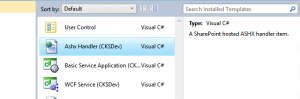
After installing the extension in Visual Studio, you will see several templates under the SharePoint category:
- SharePoint WCF Service Application
A service application that communicates via WCF services between the Web Front Ends and the Application Servers. - SharePoint WCF Service Application w/ Custom Database
Everything in #1, with support for provisioning a custom SQL Server database. - SharePoint WCF/REST Service Application
Everything in #1, with REST services deployed to _vti_bin, supporting AJAX access to the service application. - SharePoint WCF/REST Service Application w/ Custom Database
Everything in #2, with REST services deployed to _vti_bin, supporting AJAX access to the service application.
Hi there Adam.
First of all, thank you very much for writing this template. I think it’s a fantastic tool and you’ve saved me a lot of time. I have one or two questions and suggestions. Firstly, I ‘ve used your template and implemented a ServiceapplicationInstaller class, which basically just creates a pwershell cmdlet and allows the user to run it and then the service app is available for manual creation via the SharePoint GUI (New Service Application dropdown). If you want, I can send you the code I used for that. Secondly, I have a quick question. My service application which I’m planning , has to do with reading data from the Service App SPDatabase. My question is how can I get the connectionstring for the SPDatabase in my WCFClient code. Should I pass it through when executing on the channel? Thanks again for the great work. Keep it up.
Hi Fox,
Thanks for the kind review. Have you seen the Powershell commands that come with the starter kit? They already have commands registered with the SharePoint management shell for installation and creation of the pieces.
https://serviceappstarterkit.codeplex.com/wikipage?title=Powershell%20Cmdlets
If you are using the starter kit classes that include the SPDatabase, you can get a reference to the connection string from the service application class’s Database property, see the example code in the HelloWorldWCFService class.
Hi Adam,
Thanks a lot for the great kit. I am finding it difficult to get these template work on SharePoint Foundation 2013 with Visual Studio 2012. Is SharePoint Foundation 2013 supported by this kit ?
I have posted the issue detail on the Q & A section. Awaiting your response.
This is technical blog about the installation SharePoint Service Application Starter Kit and author describe this customize SharePoint development detail by adding specific graphics at several places, which helps to illustrate this topic in a much better way.
Thanks a lot for the effort you put in together. I will try it 🙂
I’m having an issue creating a REST WCF Project for SharePoint 2013, and out of the box when i’m trying to access the WCF endpoint i’m getting : Endpoint not found!
any idea why i’m getting this issue ?
Thanks.